When you’re building a website, it’s tempting to look for the cheapest hosting plan you can find.
After all, hosting is hosting, right?
You pay a few dollars a month, your website goes live, and that’s the end of the story.
Well… not exactly.
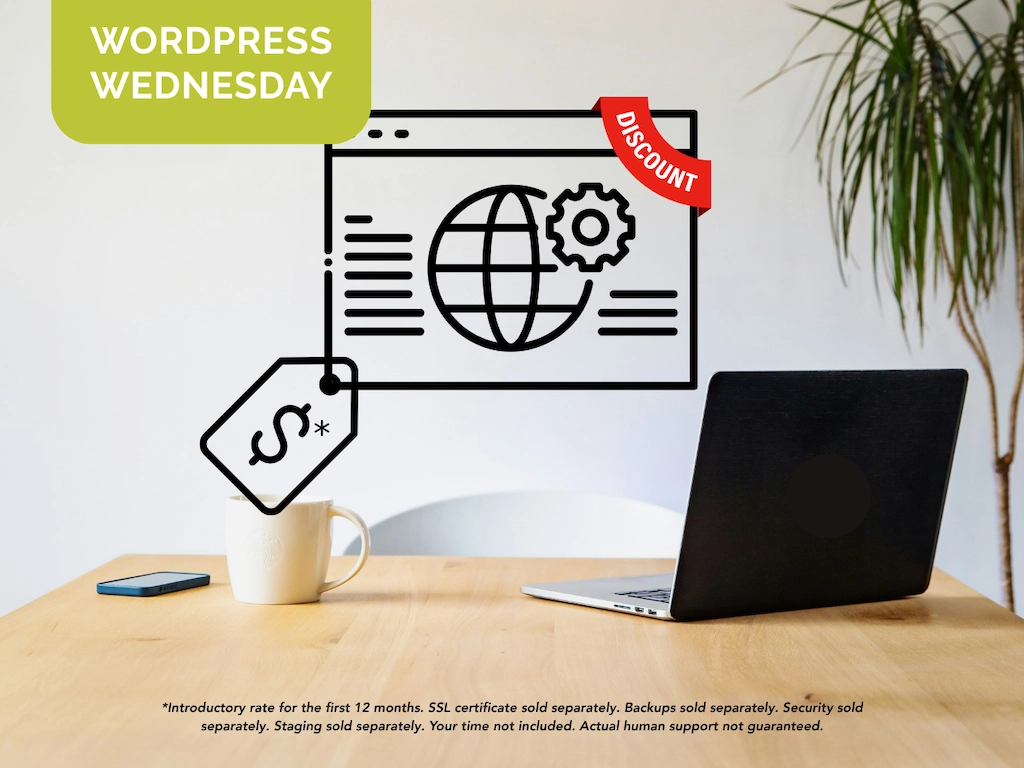
The price you see on a hosting plan doesn’t always tell you what you’re actually getting. A budget hosting package may look like a great deal at first, but once you start adding the plugins, security tools, backup services and other features your WordPress website needs, that low monthly price can start looking a lot less attractive.
And then there’s the time involved in managing all those separate pieces.
Cheap WordPress hosting isn’t always cheap once you add up everything you’re paying for to make it work.
At Raney Day Design, RDD Hosting takes a different approach. Rather than treating hosting as a place to park your website files, we provide a specialized hosting environment built with WordPress websites in mind.
Let’s look at the difference between generic budget hosting and a hosting setup designed to support your website’s performance, security and reliability.
What Is Budget Shared Hosting?
Budget shared hosting is a common starting point for small businesses, new websites and anyone trying to keep website costs down.
The appeal is understandable. You pay a relatively low fee, choose a plan, connect your domain and start building.
But there’s an important detail behind many of these plans: shared hosting means multiple websites share resources on the same server infrastructure.
That isn’t automatically a problem. Shared hosting can be perfectly adequate for certain websites.
The issue is that generic shared hosting environments are often designed to support a wide variety of websites and applications. They aren’t necessarily optimized specifically for WordPress.
When multiple websites share resources, performance can vary depending on what’s happening across the hosting environment. If another website experiences a sudden traffic spike or uses significant server resources, it can potentially affect the resources available to other websites.
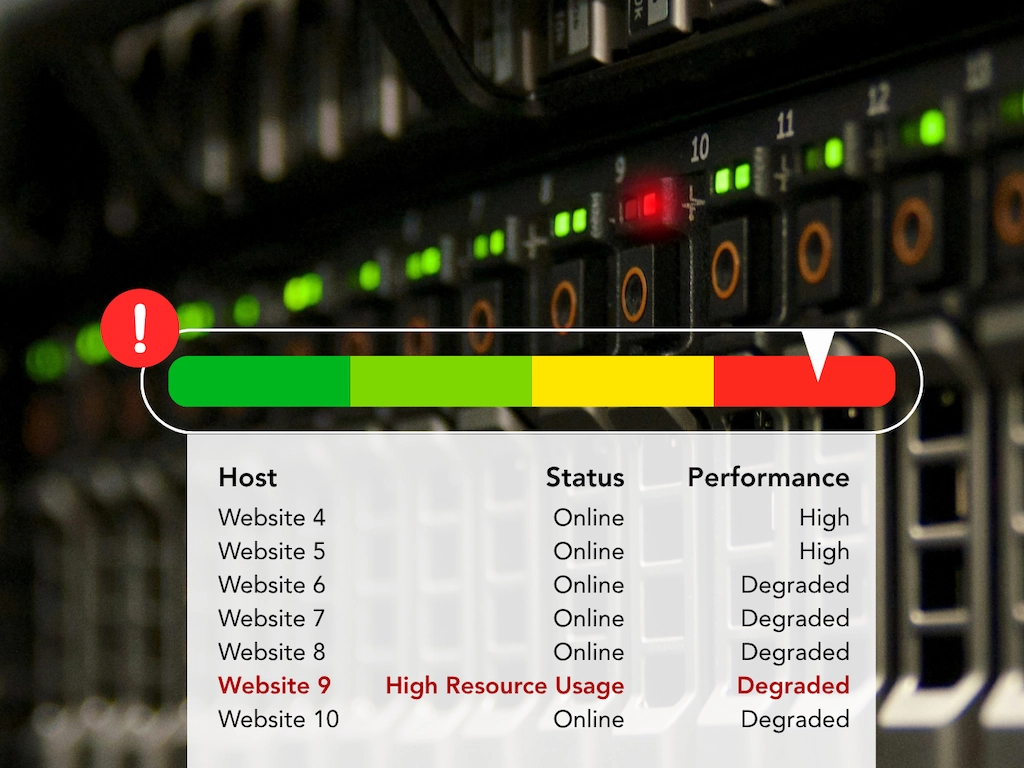
The result? Your website may perform differently at different times, even when you haven’t changed anything on your own site.
Generic Hosting Isn’t the Same as WordPress-Tuned Hosting
WordPress is a powerful content management system, but it has specific hosting requirements and performance considerations.
A generic hosting environment may support WordPress without being specifically configured to get the most out of it.
That distinction matters.
A hosting setup designed with WordPress in mind can take advantage of server technologies and configurations that are better suited to the way WordPress websites work.
That’s where RDD Hosting comes in.
RDD Hosting: A WordPress-Specialized Alternative
At Raney Day Design, we use a WordPress-tuned hosting environment built around LiteSpeed technology.
LiteSpeed is a web server technology designed to deliver web content efficiently. When it’s paired with compatible caching and optimization tools, it can help WordPress websites deliver pages more quickly and handle requests more efficiently.
That isn’t just a marketing buzzword.
The underlying server technology matters because your website’s performance depends on more than the code and design that visitors see.
It also depends on how quickly the server can process requests, deliver files and respond when someone visits a page.
A WordPress website can have beautifully optimized images, clean design and well-written code, but if its hosting environment is slow or inconsistent, visitors may still experience delays.
Your hosting is part of your website’s performance.
Why Server Response Time Matters
When someone visits your website, their browser communicates with your server to request the information needed to load the page.
The longer that initial response takes, the longer the browser may have to wait before it can begin receiving important content.
A WordPress-tuned hosting environment can help reduce unnecessary delays by using server technology and configurations designed for the platform.
That doesn’t mean every website hosted on LiteSpeed will automatically be fast. Poorly optimized plugins, oversized images, complicated scripts and other issues can still slow down a website.
But it does mean the hosting environment is working with WordPress rather than simply supporting it as one of many unrelated applications.
What Does Hosting Have to Do With SEO?
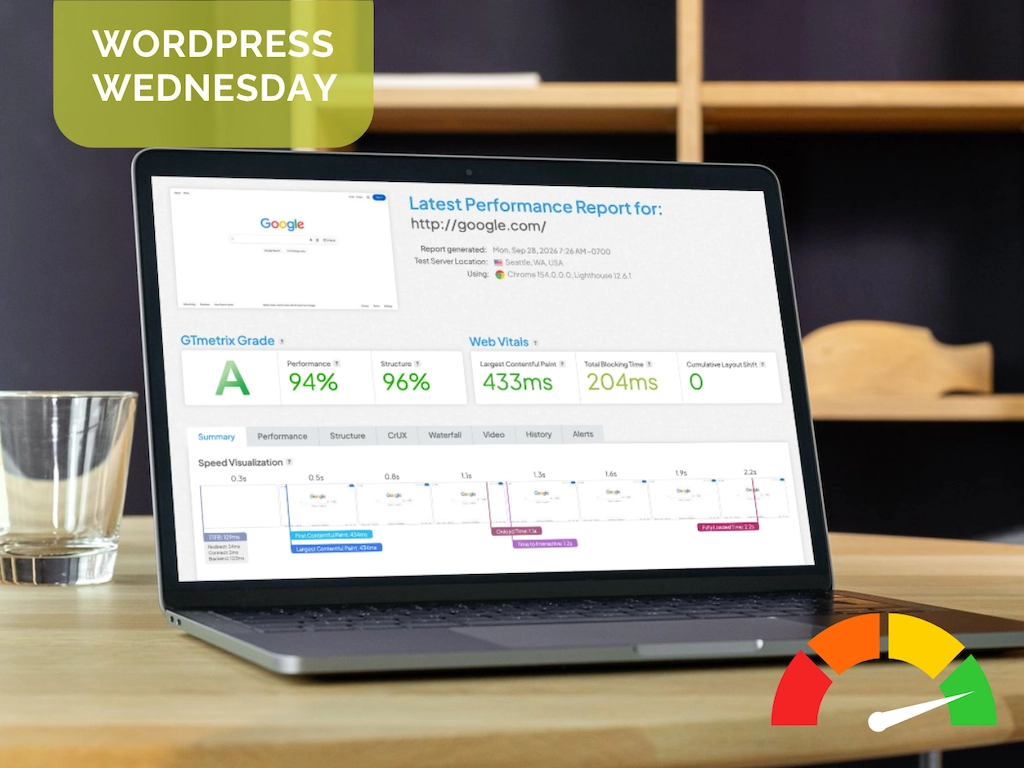
Website speed is one part of the broader user experience that search engines consider. Google’s page experience guidance explains how factors including Core Web Vitals contribute to the overall experience of people using a website.
A faster, more reliable hosting environment can support better website performance. Server response time can influence how quickly a page begins loading, although it is only one part of overall performance.
That can help create a better experience for visitors and give your website a stronger technical foundation for SEO.
However, hosting alone won’t guarantee higher search rankings. Google considers many factors when determining how pages appear in search results, including content relevance, site quality and technical factors.
The takeaway is simple: good hosting supports your SEO strategy. It doesn’t replace one.
The Hidden Cost of SSL Certificates
Here’s one expense that often surprises website owners: SSL certificates.
An SSL certificate helps encrypt the connection between a visitor’s browser and your website. It’s part of what allows a website to use HTTPS and display the familiar padlock indicator in modern browsers.
Without HTTPS, visitors may see security warnings or be less comfortable submitting information through your website.
For a business website, that’s a problem.
Many hosting providers offer SSL certificates, but some budget plans treat certain SSL options as an additional purchase or upsell. Depending on the provider and the type of certificate, that extra cost can add up over time.
At RDD Hosting, every client receives a free Let’s Encrypt SSL certificate as part of their hosting service.
There’s no separate charge for basic SSL.
Let’s Encrypt provides free, widely trusted TLS certificates that support HTTPS encryption. For most standard business websites, a basic certificate is all that’s needed.
Some organizations may have specific requirements that call for a paid certificate or additional validation. But for the typical business website, paying extra for basic HTTPS protection may not provide a meaningful benefit.
It’s worth checking what’s included in your hosting plan before assuming that a low advertised price covers everything your website needs.
The Hidden Cost of Buying Everything Separately
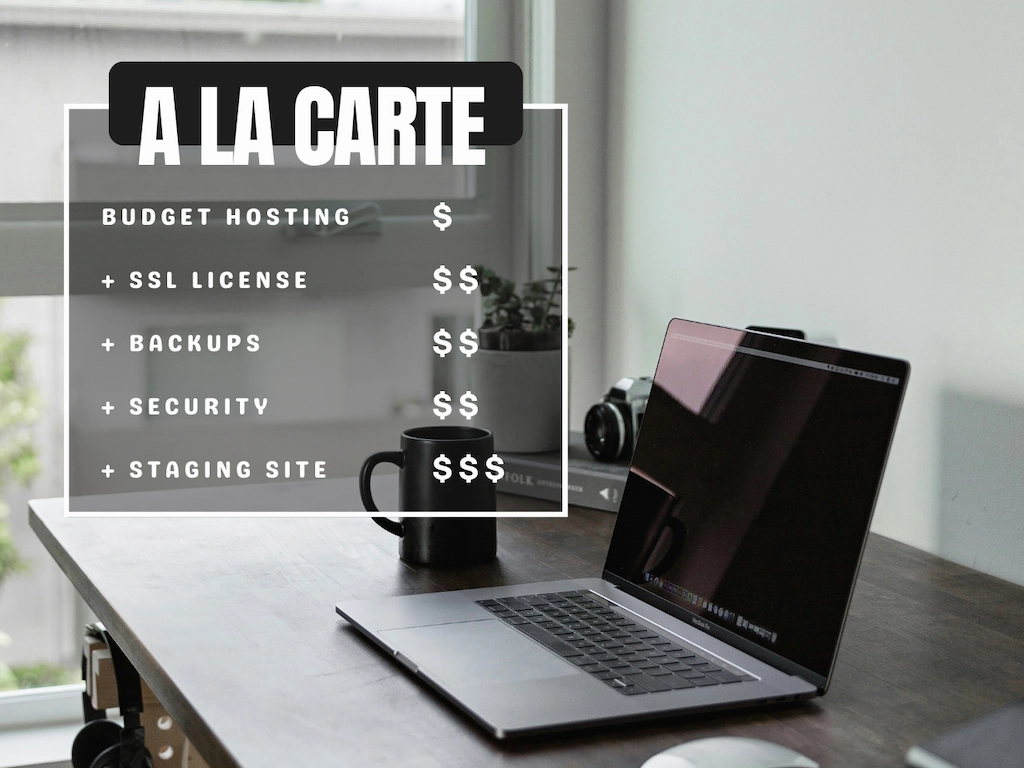
SSL is only one example.
A budget hosting plan may provide the basic infrastructure needed to run your website, but you may still need to purchase or configure additional services to cover important areas of website management.
Let’s look at some of the common extras.
Caching and Performance Plugins
Caching can help WordPress websites deliver pages more efficiently by reducing the amount of work required to generate certain content.
Some hosting environments are specifically configured to work with certain caching systems. Others may require you to install and manage separate plugins.
While free caching plugins exist, the features you need may depend on your hosting setup, website configuration and performance goals.
In some cases, advanced caching features may require a paid plugin or additional technical work.
With a hosting environment designed to work alongside WordPress performance tools, you may have access to more efficient caching options without having to piece everything together yourself.
Security Plugins and Firewalls
WordPress is popular, which also makes it a frequent target for automated attacks, malicious login attempts and other security threats.
A website needs more than a strong password.
Depending on your hosting arrangement, you may need to install a security plugin, configure firewall rules, monitor suspicious activity and keep track of potential threats.
Some managed hosting environments include security features at the infrastructure level.
RDD Hosting includes security protections as part of its hosting approach, helping reduce the need to manage every security layer independently.
That doesn’t mean website owners can ignore updates, strong passwords or good security practices. It means the hosting environment is designed to provide additional support.
Real Website Backups
What happens if a plugin update breaks your website?
Or a page gets deleted accidentally?
Or something goes wrong during a website change?
A reliable backup can make a huge difference.
RDD Hosting takes two different types of backups, stored in separate locations for an added layer of protection. An automated backup system creates website-level backups, while server-level backups provide another layer of recovery.
That means your website isn’t relying on a single backup system or a single storage location if something goes wrong.
It’s also important to understand what your hosting plan’s backups actually include. How frequently are they created? Where are they stored? How long are they retained? And can you restore your website if something goes wrong?
With RDD Hosting, backups are built into the hosting service rather than left for you to figure out separately.
Staging Environments
A staging environment allows you to test website changes in a separate version of your website before pushing those changes live.
This can be especially useful when you’re:
- Updating WordPress
- Installing or changing plugins
- Testing a new feature
- Making significant design changes
- Troubleshooting a website issue
Without staging, changes often have to be tested directly on the live website.
That can create unnecessary risk.
A proper staging environment gives you a safer place to work through changes before visitors see them.
RDD Hosting includes real staging environments, helping make website updates and testing more manageable.
Website Reliability Isn’t Just About Your Code
When something goes wrong with a website, it’s easy to assume the problem must be in the design, development or code.
Sometimes it is.
But hosting can also play a role.
Your hosting is only one piece of keeping a WordPress website healthy. Ongoing updates, maintenance, security checks and monitoring matter, too. That’s where a WordPress website care plan can help take some of that work off your plate.
Your website’s performance, speed, uptime and server errors can all be affected by the infrastructure supporting it.
A website may experience problems because of:
- Server resource limitations
- Hosting configuration
- High resource usage
- Server outages
- Software compatibility issues
- Poor caching configuration
- Traffic spikes
- Problems with third-party services
This is why website performance and reliability should be considered from more than one angle.
Optimizing your images and cleaning up unnecessary plugins is important. So is making sure your hosting environment can support the website you’re running.
And of course, your hosting can only do so much if the website itself wasn’t built with performance, usability and your customers in mind. Learn more about Raney Day Design’s website design services.
A well-built website deserves a hosting environment that supports it.
What Are You Really Paying For?
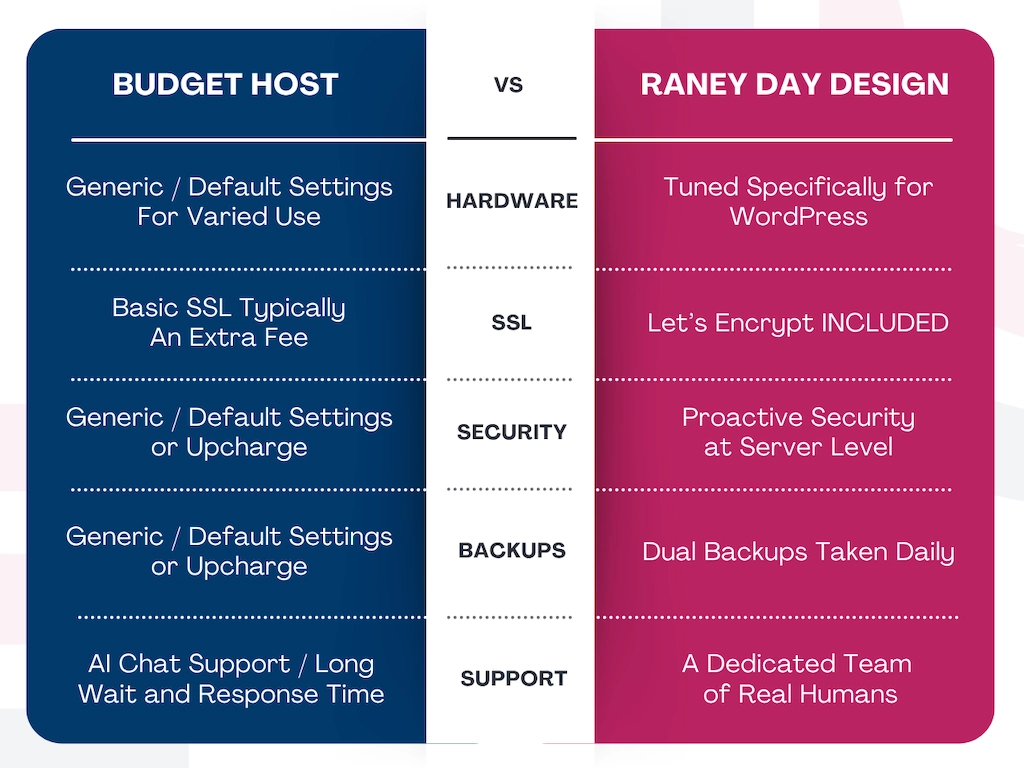
When comparing hosting plans, it’s easy to focus on the monthly price.
But a better question is:
What does this plan include, and what will I need to purchase separately?
A low-cost hosting plan may look attractive until you add the costs of:
- Premium caching tools
- Security and firewall services
- Backup solutions
- Staging tools
- SSL certificates
- Technical support
- Additional management time
Not every website needs every paid add-on. And not every budget hosting plan is a bad fit.
But if you’re running a business website that needs to be secure, reliable and easy to maintain, the cheapest plan may not offer the best overall value.
Of course, even the best hosting can’t fix an outdated website. If your site is slow, difficult to navigate, or no longer reflects your business, it may be time to look at the bigger picture. Here are a few signs your website may need a makeover.
RDD Hosting is designed as a specialized alternative to generic budget hosting, with WordPress-specific tuning, free SSL, security protections, backups and staging environments built into the service.
And there’s another important difference.
You can talk to a real team.
When you have a website problem, you don’t want to spend hours searching through help articles or sitting in a chat queue hoping someone responds.
At Raney Day Design, we’re a small team that understands websites, businesses and the technology behind them. When you need help, we’re here to answer the phone or get back to you as quickly as possible.
Ready for Hosting That Does More?
Your hosting plan should support your website, not leave you scrambling to buy and manage everything it needs separately.
If you’re considering a new hosting provider or wondering whether your current setup is giving you the performance, security and reliability your business website deserves, we’d be happy to help.
Visit our Raney Day Design Website Hosting page to learn more about RDD Hosting.
We’ll help you understand what’s included, what’s worth paying for and whether a specialized WordPress hosting environment makes sense for your website.
Because the cheapest hosting plan isn’t always the best deal. Sometimes, the real value is in everything you don’t have to worry about.