Your business probably has plenty of software.
A CRM for leads.
An email platform for communication.
Accounting software for invoices.
A scheduling tool for appointments.
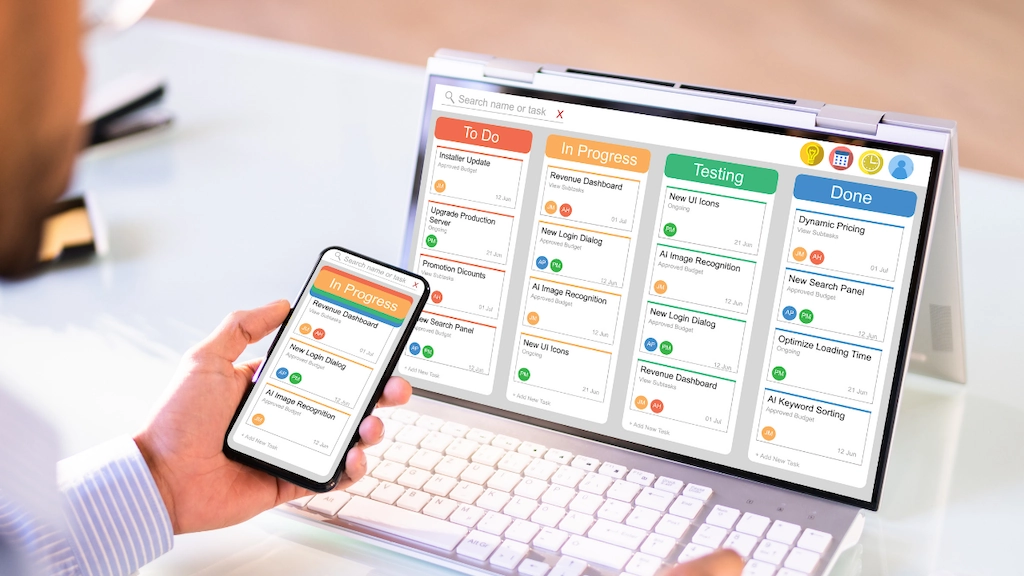
Project management software for keeping everyone on task.
Maybe a form builder, payment processor, social media scheduler, reporting dashboard…
And somehow, your team is still copying and pasting information from one system into another.
That’s not automation. That’s busywork wearing a software subscription badge.
The good news? Your business automation tools don’t have to operate on separate little islands. With the right integrations and the right all-in-one platform you can create a workflow where information moves automatically to where it needs to go.
For operations managers, this can be a game changer.
Instead of asking, “Did someone enter that into the CRM?” or “Who was supposed to follow up with that lead?” your systems can handle many of those repetitive steps for you.
But there’s an important distinction we want to make:
The answer isn’t always adding more integrations. Sometimes, it’s using fewer tools in the first place.
Let’s talk about how to make your business tools actually work together in 2026—and how to avoid building a tech stack so complicated that you need another tool just to manage all your other tools.
Your Software Should Talk to Each Other

Think about what happens when a new lead comes through your website.
Ideally, the process might look something like this:
A potential customer fills out a form → their information is added to your CRM → they receive a confirmation email → your sales team gets a notification → a follow-up task is created → the lead enters the appropriate nurturing workflow.
Nice and tidy.
Without automation, the same process might look more like this:
Someone fills out a form → an employee checks the form → copies the information → pastes it into the CRM → sends an email → messages the sales team → remembers to create a task three hours later → realizes they forgot something → opens five browser tabs and questions their life choices.
Whoa. You see the problem.
The goal of integrations is to let your systems pass information between each other automatically.
Instead of treating every software platform as another task your team has to manage, you create a connected workflow that moves information where it needs to go.
And that’s where business automation tools can really earn their keep.
Common Integrations Small Businesses Can Use

There are endless ways to connect software, but you don’t need to automate every single thing your business does.
Start with the processes that happen repeatedly.
Lead Management
This is one of the biggest opportunities for automation.
When someone submits a contact form, requests a quote, downloads a resource, or schedules a consultation, their information can potentially flow directly into your CRM.
From there, an automated workflow might:
- Create a new contact
- Assign the lead to the right team member
- Send a confirmation message
- Create a follow-up task
- Start a lead-nurturing sequence
No spreadsheet.
No copy-and-paste.
No “I thought you were handling that.”
Scheduling and Reminders
Your scheduling software can also work with your other systems to eliminate unnecessary steps.
When someone books an appointment, for example, your workflow could automatically update their customer record, send confirmation and reminder messages, and notify the appropriate team member.
That means your employees don’t have to manually keep track of every little step.
The system does the remembering.
Your team does the relationship-building.
That’s a much better division of labor.
Payments and Customer Records
Financial systems can also benefit from integrations.
Depending on the software you’re using, a completed payment could update a customer’s record, trigger a receipt or confirmation, or kick off the next stage of your workflow.
The fewer times your team has to manually move information from one platform to another, the fewer opportunities there are for errors.
Client Onboarding
Here’s another big one.
A new client signs a contract. What happens next?
Does someone manually create a project? Send a welcome email? Notify the team? Add the client to your CRM? Create tasks? Schedule a kickoff?
Those are all potential automation opportunities.
Your sales process shouldn’t end with someone shouting, “Hey, we got a new client!” across the office.
Your systems should know what happens next.
How Do These Integrations Actually Work?
You don’t need to be a programmer to understand the basic idea behind automation.
Most automated workflows follow a simple pattern:
Something happens → the system recognizes it → something else happens automatically.
That first event is the trigger.
The next step is the action.
For example:
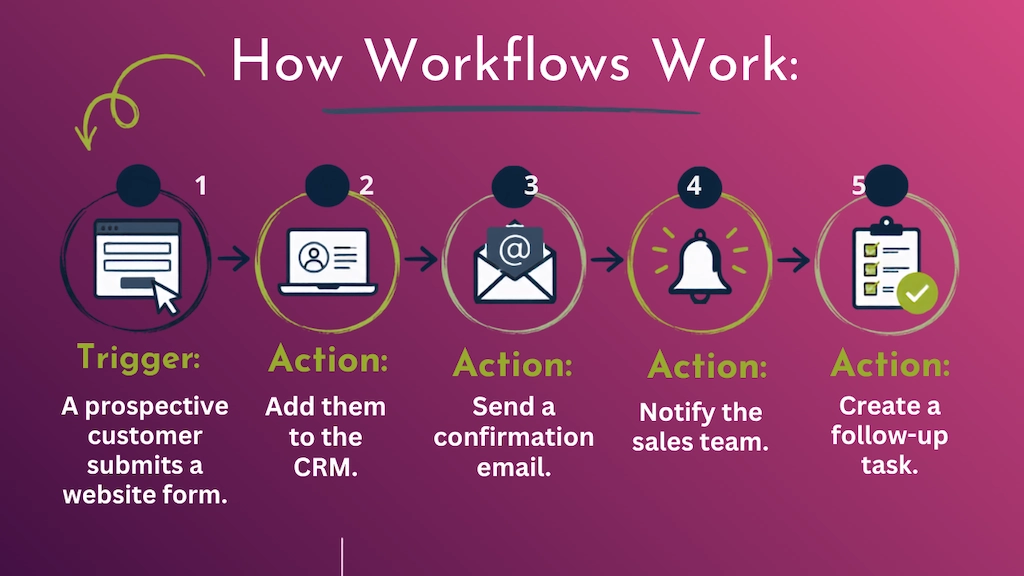
A more advanced workflow can have multiple conditions, branches, follow-ups, and actions.
And here’s where things get really useful: the best workflow isn’t necessarily the one with the most steps. It’s the one that eliminates the most unnecessary human effort.
If your team has to manually move information between three different systems just to get a lead from “new inquiry” to “sales follow-up,” there’s probably a better way.
Here’s the Plot Twist: You May Not Need More Integrations
This is where we want to challenge the usual conversation about business technology.
When businesses realize their systems aren’t talking to each other, the first instinct is often:
“We need another tool to connect all of these tools!”
Maybe.
But sometimes the better question is:
“Why are we using so many tools in the first place?”
Think about your current tech stack.
You might have one platform for your CRM.
Another for email marketing.
Another for texting.
Another for appointment scheduling.
Another for forms.
Another for lead nurturing.
Another for automation.
Another for reporting.
And now you’re trying to make all of those systems communicate with one another.
That’s a lot of moving parts.
And every additional platform can mean another subscription, another login, another integration to maintain, another place where data can get stuck, and another system your employees have to learn.
More technology does not automatically equal a better business.
Sometimes, it just equals more technology.
Meet Raney Day Connect
This is exactly why we created Raney Day Connect.
Powered by GoHighLevel, Raney Day Connect brings many of the tools small and growing businesses use every day into one connected platform.
Instead of piecing together a technology stack from a dozen different subscriptions, businesses can manage key parts of the customer journey in one place.
That can include things like:
- CRM and contact management
- Lead tracking
- Email and text communication
- Appointment scheduling
- Forms and lead capture
- Automated follow-up
- Marketing workflows
- Customer nurturing
- Sales pipelines
The goal isn’t to give you another piece of software.
It’s to help you need less software.
Imagine a prospective customer fills out a form on your website.
Instead of someone manually checking the form, entering the contact into a CRM, sending an email, notifying a salesperson, and creating a reminder, the appropriate steps can happen automatically.
The lead enters the system.
The communication starts.
The team gets notified.
The follow-up process begins.
And the information stays connected.
That’s what business automation should feel like.
Not complicated.
Not clunky.
Just… working.
Schedule a 30-minute demo call to learn how it all works together for you.
Don’t Overstack Your Tech
Now for our favorite piece of advice:
Put. Down. The. Software. Catalog.
We mean it.
It’s incredibly easy to add another tool every time you discover a new business problem.
Need better email marketing? There’s an app for that.
Need scheduling? There’s an app for that.
Need lead tracking? There’s an app for that.
Need automation? Yep. There’s an app for that, too.
Before you know it, you’ve built a Frankenstein’s monster of a tech stack and nobody knows which system is supposed to contain what information.
You might have:
- Multiple tools doing essentially the same thing
- Customer information stored in several places
- Employees unsure which system is the “source of truth”
- Overlapping subscriptions
- More passwords than anyone can remember
- Workflows that break when one platform changes
- Data that doesn’t match from system to system
Congratulations.
You’ve built yourself a digital junk drawer.
The goal isn’t to have the most tools.
The goal is to have the right tools working together.
Before adding another platform, ask:
Do we already have something that can do this?
Can our current software handle this with an integration or automation?
And perhaps most importantly:
Would consolidating our tools actually make this easier?
That last question can save you a surprising amount of money, time, and frustration.
Build Workflows Around Your Business—Not Your Software
Another common mistake is choosing software first and figuring out the workflow later.
Instead, start with the process.
What happens from the moment someone becomes a lead until they become a customer?
What happens after someone schedules an appointment?
What happens when a deal closes?
What happens when a customer hasn’t responded?
What happens when a project is completed?
Map the process first.
Then look for the repetitive steps.
Where is your team:
Entering information?
Moving information?
Checking information?
Sending reminders?
Creating tasks?
Sending the same messages?
Updating multiple systems?
Those are your automation opportunities.
For example, imagine your customer onboarding process currently requires six manual steps.
A connected workflow might turn that into:
New client signs → customer record updates → welcome message sends → internal notification goes out → project tasks are created → follow-up is scheduled.
Your employees aren’t being replaced by automation.
They’re simply no longer spending their time doing work that software can handle.
And honestly?
That’s exactly how it should be.
The Benefits of a Connected Workflow
When your business automation tools are set up correctly, the benefits go well beyond saving a few clicks.
Less Manual Data Entry
Every time someone manually transfers information between systems, there’s an opportunity for a typo, missed field, or outdated information.
Automation reduces that repetitive work and helps keep information consistent.
Fewer Things Fall Through the Cracks
Automated tasks, reminders, notifications, and follow-ups mean fewer opportunities for something important to get forgotten.
Your system can remember so your employees don’t have to.
A Better Customer Experience
Customers don’t care how many software platforms you use.
They care that you respond quickly, communicate clearly, and remember who they are.
A connected workflow helps your business deliver a more consistent experience from the first interaction onward.
More Visibility
When your information is organized and connected, it’s easier to see what’s happening across the customer journey.
For operations managers, that visibility can make it easier to identify bottlenecks, improve processes, and make smarter decisions.
More Time
This is the big one.
Your employees didn’t take their jobs because they dreamed of spending Wednesday afternoon moving information between spreadsheets.
Automation gives that time back.
Start Small. Then Get Smarter.
You don’t have to automate your entire business overnight.
Actually, please don’t.
Start with one process that is repetitive, time-consuming, and relatively straightforward.
Ask your team:
“What do you do every day that feels completely unnecessary?”
That question might uncover some serious automation opportunities.
Choose one workflow. Document how it currently works. Identify the repetitive steps. Look at the tools involved. Then determine whether you need an integration—or whether you could simplify the process by consolidating some of those tools.
Once the workflow is working reliably, move on to the next one.
Over time, you can build a much more efficient operational system without creating an overwhelming maze of technology.
Your Tech Stack Should Work for You
Technology is supposed to make business easier.
If your team is constantly logging into different platforms, copying information between systems, checking spreadsheets for updates, and manually reminding each other to complete routine tasks, you may not have a technology problem.
You may have a workflow problem.
And the solution isn’t necessarily another subscription.
Sometimes it’s a better integration.
Sometimes it’s a smarter automation.
And sometimes, it’s realizing that five different tools could be replaced by one platform that actually does what you need.
That’s the philosophy behind Raney Day Connect.
We help small and growing businesses simplify their digital systems, bring key tools together, and automate repetitive processes so technology actually supports the way they work.
Because your software should be working together.
Not making you work harder to make it work.